
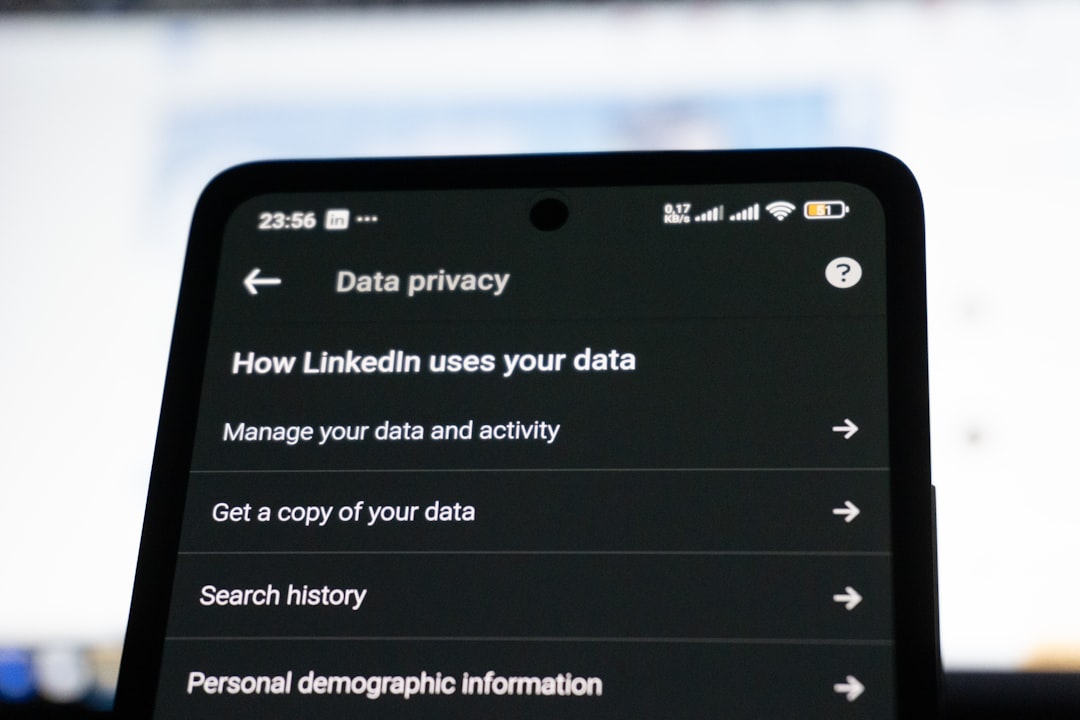
How to Opt Out of Data Broker Sites
Quick Take
You can remove your personal information from data broker websites — the companies that collect and sell your details to advertisers, employers, and anyone willing to pay. This process involves contacting each broker individually to request removal, and while it takes some time upfront, it significantly reduces your digital footprint and helps protect your identity.
The basic process takes 1-2 hours to get started, but full completion spans several weeks as you wait for confirmations and follow up on requests. You’ll be removing your name, address, phone number, and other personal details from dozens of sites that you probably never knew had them.
Before You Start
What You’ll Need
- A dedicated email address (consider creating one just for opt-out requests)
- Your current and previous addresses from the last 5-10 years
- Phone numbers associated with your name
- A spreadsheet or document to track your requests
- Access to a scanner or phone camera for any required ID verification
Time Investment
Plan for 1-2 hours initially to submit your first batch of opt-out requests. Then expect 15-30 minutes weekly for the next month to follow up on confirmations and handle any issues that arise.
Why This Protects Your Identity
Data brokers collect information from public records, social media, purchase histories, and other sources, then package it for sale. This creates detailed profiles that identity thieves can use to impersonate you, social engineers can use to trick you into giving up passwords, and scammers can use to make their fake calls more convincing.
When you opt out of data brokers, you’re reducing the amount of personal information available for purchase, making it harder for criminals to build a complete picture of your life.
Step-by-Step Instructions
Step 1: Create Your Tracking System
Before you start submitting requests, set up a simple spreadsheet with these columns:
- Data Broker Name
- Date of Request
- Method Used (online form, email, phone)
- Confirmation Received (Yes/No)
- Date Confirmed
- Follow-up Needed
This tracking system is crucial because you’ll be dealing with dozens of sites over several weeks.
Step 2: Start with the Major Data Brokers
Begin with the largest data brokers, as they tend to sell information to smaller ones. Here’s how to handle the big players:
Whitepages.com:
- Go to whitepages.com and search for your name and location
- Find your listing and click on it to get the full URL
- Go to whitepages.com/suppression_requests
- Enter the URL of your listing and your email address
- Check your email for a confirmation link and click it
BeenVerified.com:
- Search for yourself on their site to find your profile URL
- Navigate to beenverified.com/app/optout/search
- Enter your information and submit the request
- You may need to verify your identity with a photo ID
Spokeo.com:
- Find your listing by searching spokeo.com
- Copy the URL of your profile page
- Go to spokeo.com/optout
- Paste your profile URL and submit your request
- Confirm via email when prompted
Step 3: Work Through Mid-Tier Brokers
These sites often require different approaches:
Intelius.com and related sites (PeopleLookup, DateCheck, IdentityPI):
- Email optout@intelius.com with subject line “Opt-Out Request”
- Include your full name, age, city and state, and any URLs where your information appears
- Attach a copy of your driver’s license or state ID
- Wait for email confirmation (usually takes 5-7 business days)
PeopleFinderFree.com:
- Search for your information on their site
- Click “Record Opt-Out” on your listing
- Fill out the form with your details
- Verify through email confirmation
MyLife.com:
- Create a free account (required for opt-out process)
- Claim your profile
- Go to privacy settings and select “Remove Profile”
- Follow the confirmation steps
Step 4: Handle Sites Requiring Phone Calls
Some data brokers make you call to opt out. Here’s what to say:
“Hi, I’m calling to request removal of my personal information from your database. My name is [full name], and I live in [city, state]. Can you help me opt out of your service?”
Be prepared to provide:
- Full name and any variations
- Current and previous addresses
- Phone numbers
- Date of birth (if requested)
Take notes during the call, including the representative’s name, date and time, and any reference number they provide.
Step 5: Submit Batch Requests for Smaller Sites
Many smaller data broker sites can be handled quickly with similar processes. Work through 5-10 sites per session to avoid burnout:
- FamilyTreeNow.com: Go to their opt-out page and submit your information
- TruePeopleSearch.com: Email their support with your opt-out request
- FastPeopleSearch.com: Use their online opt-out form
- CheckPeople.com: Submit removal request through their contact form
Pro tip: Many of these sites use similar opt-out language, so you can create a template email: “I am requesting removal of my personal information from your database. My details are: [list your information]. Please confirm when this removal is complete.”
Verify It Worked
Check Your Removal Status
Wait 7-10 business days after submitting each request, then search for yourself on each site to confirm your information has been removed.
What successful removal looks like:
- Your name returns no results
- Previous listings show “This record has been removed”
- Search results show other people with your name but not your specific details
Expected Confirmations
Most legitimate data brokers will send you an email confirmation within 1-2 weeks. The email typically says something like:
“Your opt-out request has been processed. Your information has been removed from our database and will not appear in future searches.”
When Removal Doesn’t Work
If you still see your information after two weeks:
- Submit the request again using the exact same method
- Try a different contact method (if they offered multiple options)
- Call their customer service and reference your original request
- Document the issue in your tracking spreadsheet for potential escalation
Common Issues and Fixes
“We Need Additional Verification”
Some sites require photo ID to prove you’re requesting removal of your own information.
Fix: Take a clear photo of your driver’s license or state ID with a smartphone. Cover your photo and driver’s license number with tape before photographing, leaving only your name, address, and date of birth visible.
“Your Information Reappears”
Data brokers sometimes re-populate their databases from new sources.
Fix: Set a calendar reminder to check the major data broker sites every 3-6 months. If your information reappears, submit a new opt-out request and mention that you previously opted out on [date].
“Site Claims They Don’t Have Opt-Out Process”
Some sites make it deliberately difficult to find their removal process.
Fix: Search for “[site name] opt out” in Google. If that doesn’t work, email their general contact address with your removal request. If they don’t respond within two weeks, consider filing a complaint with your state’s attorney general.
“Opt-Out Form Doesn’t Work”
Technical issues sometimes prevent online forms from submitting properly.
Fix: Try a different browser or device. If the form still doesn’t work, email their support team with the same information you would have put in the form.
“They Want Money to Remove Information”
Legitimate data brokers don’t charge for opt-outs, though some may try to upsell you on “premium removal” services.
Fix: Insist on the free removal option. If they refuse, move on and document this for potential complaint filing.
What to Do Next
Set Up Ongoing Monitoring
Check quarterly: Add a calendar reminder to search for yourself on the major data broker sites every three months. New information sources mean your details might reappear.
Google yourself regularly: Set up a Google Alert for your name in quotes plus your city to catch new appearances of your information online.
Complement Your Efforts
Opting out of data brokers works best as part of a broader privacy strategy:
Tighten social media privacy settings: Review Facebook, LinkedIn, Instagram, and other platforms to limit public information sharing.
Opt out of pre-approved credit offers: Call 1-888-567-8688 or visit OptOutPrescreen.com to stop credit card and insurance offers that use your personal information.
Consider additional monitoring: While you’re reducing your data exposure, comprehensive identity monitoring helps catch new threats. IdentityProtector.com gives you real-time alerts when your information appears in breaches or on the dark web, plus credit monitoring across all three bureaus and expert recovery support if identity theft occurs.
Protect Future Information Sharing
- Read privacy policies before signing up for new services
- Avoid loyalty programs that require extensive personal information
- Use a separate email address for online purchases and registrations
- Be cautious about sharing personal details on social media
FAQ
How long does it take to opt out of all data brokers?
The initial requests take 1-2 hours to submit, but the full process spans 4-6 weeks as you wait for confirmations and handle follow-ups. Some sites respond within days, while others take the full legal limit of 30 days.
Do I need to opt out of every data broker site?
Focus on the major ones first — sites like Whitepages, Spokeo, and BeenVerified supply information to many smaller brokers. Removing yourself from the big players often eliminates your information from dozens of smaller sites automatically.
Will opting out stop all data collection about me?
No, but it significantly reduces your exposure. Data brokers will have less information to sell about you, making it harder for scammers and identity thieves to build detailed profiles for fraudulent purposes.
Is it legal for these sites to have my information?
Most data brokers operate legally by using publicly available information and providing opt-out mechanisms. However, laws vary by state, and some states like California have stronger privacy protections that give you more control.
What if a data broker refuses to remove my information?
Document their refusal and file complaints with your state attorney general and the Federal Trade Commission at ReportFraud.ftc.gov. Most legitimate data brokers will comply with reasonable removal requests to avoid regulatory issues.
Take Control of Your Digital Footprint
Opting out of data brokers is one of the most effective steps you can take to reduce your identity theft risk. While it requires some upfront effort, removing your personal information from these databases makes it significantly harder for criminals to gather the details they need to impersonate you or target you with sophisticated scams.
Remember that this process requires ongoing attention — set those quarterly reminders and stay vigilant about new sites that might acquire your information. Combined with other protective measures like credit freezes and identity monitoring, data broker opt-outs help create multiple layers of protection around your personal information.
IdentityProtector.com helps individuals and families stay ahead of identity threats with comprehensive monitoring, real-time breach alerts, dark web scanning, and hands-on recovery assistance from identity theft specialists. While you’re working to reduce your data exposure through opt-outs, professional monitoring ensures you’ll know quickly if your information surfaces in new breaches or appears for sale in criminal marketplaces, giving you the complete protection strategy your identity deserves.
